
Resume Section Headings: The Names ATS Software Recognizes
Resume section headings are the labels that tell software and people where each part of your resume begins. Applicant tracking systems read resume section headings first, then sort the text below each one into a field: work history, education, skills. If a heading is not one the system expects, the text under it may land in the wrong field or be dropped. This guide lists the headings that parse reliably, the creative ones that fail, and the order that fits each career stage.
TL;DR: Use plain headings: Summary, Experience, Education, Skills, Certifications, Projects. Avoid creative labels such as "My Journey" or "What I Bring". Put the section that proves your fit nearest the top: Experience for professionals, Education for students. Custom sections are fine if the heading still says what is inside.
Why the heading matters more than the design
An applicant tracking system, or ATS, does not read a resume the way a person does. It parses the file into text, looks for known heading words, and cuts the document into blocks. Each block is mapped to a database field. Recruiters then search and filter on those fields.
The parser recognizes a heading by matching it against a list of expected words. "Work Experience", "Professional Experience" and "Experience" all match. "Where I Have Made a Difference" matches nothing. The parser may then attach that whole block to the previous section, or treat it as unclassified text that never appears in the recruiter's view.
The colour, size or underline of a heading does not help the parser. Only the words do.
The standard headings that parse everywhere
These headings are recognized by nearly every parser. Use one form consistently.
- Summary or Professional Summary. The three to four sentence overview at the top. "Profile" also works; "About Me" is weaker.
- Experience, Work Experience or Professional Experience. Your jobs, most recent first.
- Education. Degrees, diplomas and the institution. Include the year unless you are hiding age, in which case omit years for all entries.
- Skills or Technical Skills. A grouped list of hard skills. Avoid "Core Competencies" if you can; it parses less reliably.
- Certifications or Licenses and Certifications. Name, issuing body, year.
- Projects. Named pieces of work with a result. Strong for students, developers and career changers.
- Volunteer Experience. Treated like work by most parsers.
- Publications, Awards, Languages. Standard and rarely misread.
If you have a choice between two acceptable headings, pick the shorter one. "Experience" is safer than "Relevant Professional Experience Highlights".
Creative headings that break parsing
Many people rename sections to sound distinctive. The parser does not reward this. Here are common substitutions and what happens to them.
- "My Story" instead of Summary. Often classified as unknown text. The summary is lost.
- "Career Highlights" placed above Experience. Some parsers merge it into Experience, producing duplicate jobs with no dates.
- "Toolbox" or "Superpowers" instead of Skills. The skills field stays empty, so keyword searches on skills return nothing.
- "Learning" instead of Education. The degree field stays empty. Some postings filter on degree level, so you disappear from that filter.
- Icons in place of words. A graduation-cap icon before an empty label is invisible to a parser.
A useful test: read your heading aloud and ask whether a stranger would know what is beneath it without reading further. If the answer needs a second look, use the standard word.
Order the sections for your career stage
Standard headings solve parsing. Order solves reading. A recruiter scans the top third of the page first, so the section that proves your fit belongs there.
Student or new graduate
Summary, Education, Projects, Experience, Skills. Education leads because it is your strongest evidence. Add "Relevant Coursework" as a line inside Education, not as its own heading, unless the posting asks for specific courses.
Early to mid-career professional
Summary, Experience, Skills, Education, Certifications. Experience leads. Education moves down once you have three or more years of work.
Career changer
Summary, Skills, Projects, Experience, Education. Skills and Projects move up so the reader sees transferable evidence before an unrelated job title. Keep the headings standard; the order does the persuading.
The rule across all three: never invent a heading to move content up. Move the standard section instead.
Custom sections done safely
Sometimes you have content that fits no standard label. A nurse might need "Clinical Placements". A researcher might need "Grants". A tradesperson might need "Tickets and Safety Training". These are legitimate.
Three rules keep a custom section safe:
- The heading says what is inside. "Clinical Placements" is clear. "Hands-On Learning" is not.
- It sits after the standard sections. Parsers that do not recognize it will attach it to the previous block, so make sure the previous block is one that can absorb it, such as Experience.
- The entries look like every other entry. Title, organization, dates, bullets. A parser that treats the block as extra experience will still read it correctly.
Here is a fictional example. Priya Raman is a lab technologist with two hospital placements from her diploma and one full-time job. Her sections read: Summary, Experience, Education, Clinical Placements, Certifications. The placements sit after Education, each with a hospital name, dates and two bullets. A parser that does not know "Clinical Placements" attaches them to Education, which is exactly where they belong.
Formatting details that still matter
Even the right words can fail when the formatting hides them.
- Put each heading on its own line, in the same font as the body, in bold or slightly larger.
- Never place a heading inside a table cell, a text box, a two-column layout or the page header. Parsers read tables row by row and often skip headers entirely.
- Use one capitalization style throughout, with no colon or decorative symbols after the word.
A quick test: paste the whole resume into a plain text editor. If each heading still stands alone on its own line, in order, the parser will most likely see it the same way.
Mistakes that cost interviews
- Two headings for the same thing. "Experience" and "Career History" on one page makes the parser choose, and it may choose wrong.
- A heading with nothing under it. An empty "Certifications" heading signals a template you did not finish.
- A skills heading with soft skills only. "Teamwork, communication, leadership" fills the field with words no recruiter searches for. List hard skills and prove the soft ones in bullets.
- References as a section. Most employers ask later; the line "available on request" adds nothing.
How TrinityTalent helps
TrinityTalent's free resume builder uses standard headings by default. Every template is single-column and renders the same set of sections, so a template cannot introduce a two-column layout, a text box or a heading a parser will not recognize. When you add a custom section, its heading is placed after the standard sections and rendered in the same style as the rest.
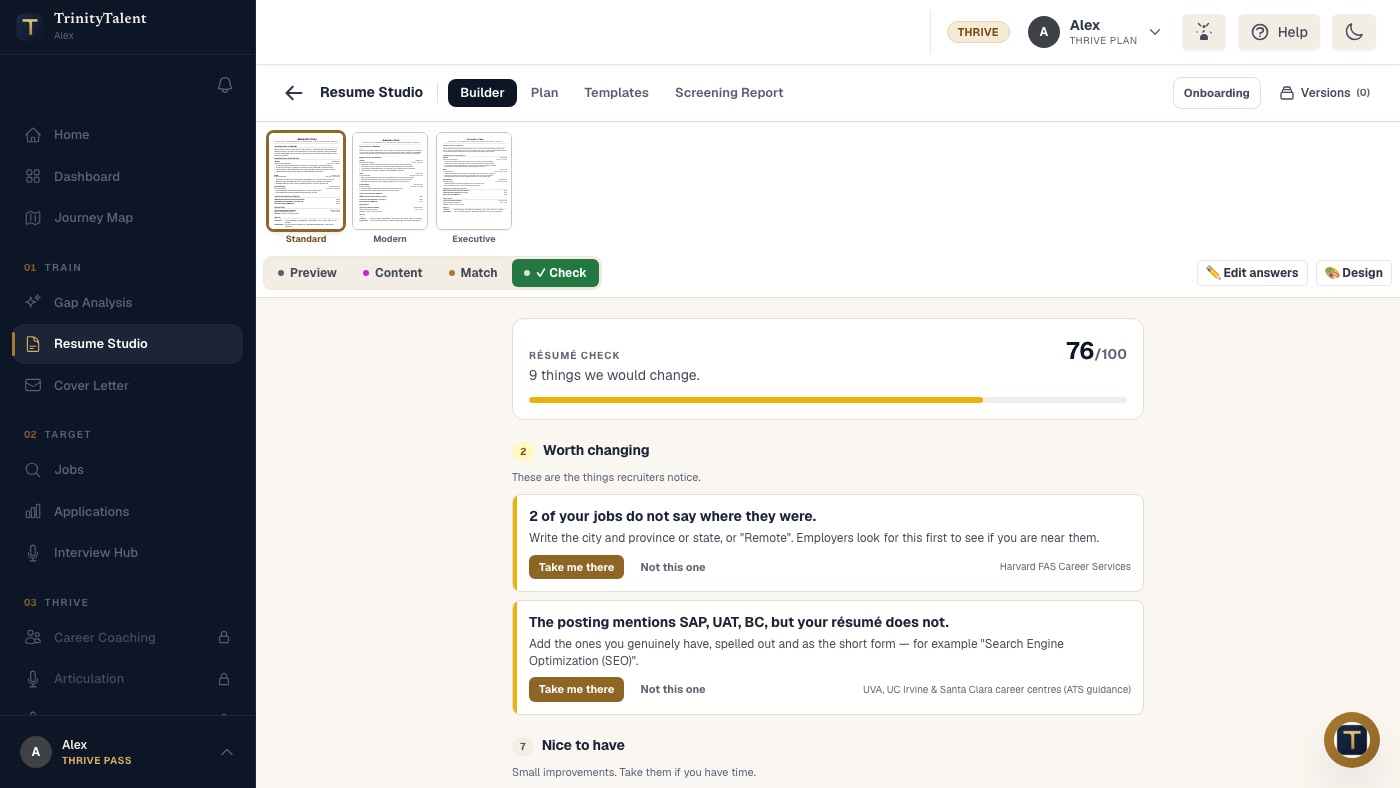
The Check tab runs a rules-based audit on your device. It flags missing sections, non-standard labels, empty headings and repeated headings, and each finding carries a one-click fix. Editing and checking are free while the product is in beta. Word and PDF export keep the headings as plain text, so what you see is what the parser reads.
Frequently asked questions
What are the standard resume section headings?
Summary, Experience, Education, Skills, Certifications and Projects are the headings nearly every applicant tracking system recognizes. Volunteer Experience, Publications, Awards and Languages are also standard. Use one plain form for each and avoid creative labels, because parsers match headings against a fixed list of expected words.
Can I use creative resume section headings?
You can, but it is a risk with no reward. A heading such as "My Journey" or "Toolbox" is not on the parser's list, so the text under it may be dropped or filed under the wrong field. If you want a distinctive resume, show it in the content of your bullets, not in the labels.
What order should resume sections be in?
Put the section that best proves your fit nearest the top. Students lead with Education, professionals with Experience, career changers with Skills and Projects. Summary always comes first, directly under your contact details. Never invent a heading to move content up; move the standard section instead.
Is it okay to add a custom section to a resume?
Yes, if the heading clearly says what is inside and the section sits after the standard ones. "Clinical Placements" or "Grants" are clear. Format each entry like a job, with a title, organization, dates and bullets, so a parser that does not know the heading still reads the entries correctly.
Put this into practice
Run the free Check on your resume. It flags non-standard headings and missing sections, and every fix is one click.
Check your resume free