
Resume Parsing Errors: Why ATS Cannot Read Your Resume
Resume parsing errors happen when the software behind a job portal reads your resume and puts the wrong text in the wrong field: a date beside the wrong employer, a skills list that is empty, a name that is missing. Most resume parsing errors come from seven layout choices, and all seven are avoidable. This guide explains what a parser does, walks through each cause with its fix, gives you a two-minute plain-text test you can run on your own file, and shows what a broken profile looks like from the recruiter's side.
TL;DR: A parser reads your resume as plain text in reading order and maps it to fields. Tables, two columns, text boxes, headers and footers, icons, images and unusual headings all break that order or hide text. Paste your resume into a plain text editor: if it reads cleanly top to bottom, it parses. Fix the layout, not the content.
What a parser does with your file
An applicant tracking system does not look at your resume. It extracts the text, reads it in the order the file stores it, and tries to recognise patterns: a line with an email address is contact information, a line with a month and a year near a company-looking name is a job, a heading that says "Education" starts the education block. The result is a profile with fields, and the recruiter usually sees that profile before the original file. The applicant tracking system guide covers what happens next.
Two things follow. First, anything that changes the reading order changes what the parser thinks belongs together. Second, anything that is not text (an icon, a picture, a scanned page) is not there at all.
The seven causes, and the fix for each
Tables
Designers use invisible tables to line up dates on the right and titles on the left. A parser reads a table cell by cell, often row by row across the whole width, so the date column and the title column interleave and a role can end up with another role's dates. Fix: remove every table. Put the title, employer and dates on one or two plain lines.
Two columns and sidebars
A left sidebar of skills and contact details with experience on the right looks tidy. The parser reads across both columns line by line, so the skills list is chopped into the middle of your job bullets. Fix: one column, top to bottom. Skills go in their own section under the summary.
Text boxes
Word text boxes and floating shapes are stored outside the main text flow. Many parsers skip them or read them last. If your name is in a text box, the profile has no name. Fix: delete text boxes and type the content into the body.
Headers and footers
Templates often put contact details in the page header. Parsers frequently ignore headers and footers, because on a two-page document they would repeat. The record then has no phone or email. Fix: contact details in the body, at the top of page one.
Icons and symbols
A phone icon instead of the word "Phone", a location pin, star ratings for skills, decorative bullets. These are glyphs from a symbol font or small images; the parser sees nothing or a stray character. Fix: plain words and standard bullets. "Phone:" costs six characters and always works.
Images and scanned PDFs
A resume exported as an image, a scanned printout, or a PDF built from a design tool where text became outlines contains no readable text. The parser returns an empty profile. Fix: export a text-based PDF or a Word file from the document itself, never from a photo or screenshot, and check by trying to select the text in the PDF viewer.
Unusual headings
Parsers map sections by heading names they recognise: Summary, Experience, Education, Skills, Certifications, Projects. "Where I Have Been", "My Toolkit" or "Career Story" may not map, and the content underneath is filed as unknown. Fix: standard headings, one per section, in the order a recruiter expects.
The two-minute plain-text test
You can see roughly what a parser sees without any tool.
- Open your resume and select all the text.
- Paste it into a plain text editor (Notepad, TextEdit in plain mode, or any editor with formatting off).
- Read it from top to bottom without scrolling back.
- Check: is your name the first line? Are phone and email present? Does each job appear as title, employer, dates, then its bullets, in that order? Is the skills list in one place? Are there stray symbols or missing words?
- Fix anything that reads out of order in the original document, then repeat.
If the paste is clean, most parsers will be too. If it interleaves two columns or drops your header, you found the problem before an employer did.
For a PDF, also try to highlight a line of text; if you cannot select the words, the file is an image and needs re-exporting.
Errors that are not layout
Some parsing failures come from the content itself.
- Dates in an unusual form. "Summer 2023", "2021 to date", "Q3 2022". Use month and year: "Jun 2023 - Aug 2023", "Mar 2021 - Present".
- Title and employer on the same line with no separator. "Analyst Northgate Foods" may parse as one string. Use a comma, a dash or a line break.
- Employer missing. A contract role listed by client name only, or a self-employed period with no business name. Give every role an employer line, even "Self-employed".
- File names. "resume_final_v3(2).pdf" is fine for parsing but poor for the recruiter. Use "Firstname-Lastname-Resume.pdf".
- Fields duplicated on the form. If the portal asks you to type your history after uploading, type it consistently with the file. Mismatches are flagged.
What a broken profile looks like
Lena applied for a coordinator role with a two-column resume, contact details in the header and a skills sidebar with star ratings. The parsed profile the recruiter opened showed: name present, phone and email blank, three jobs with the dates shifted one role down, a skills field containing "Excel , Communication ***", and a summary that included half of her first bullet. The recruiter had 180 applicants and did not open the original.
She rebuilt the same content in a single column with standard headings, dates on each role and a plain skills line. The next parse was complete. Nothing about her experience changed; only the order the software read it in.
How TrinityTalent helps
TrinityTalent's free ATS resume checker is built to prevent parsing errors rather than diagnose them after the fact. Every template is single-column and ATS-safe: none of them can add a table, a text box, a second column, an icon or a photo, and the contact details sit in the body of the page where a parser reads them. Word and PDF export keep that structure, and the PDF is text-based, never an image.
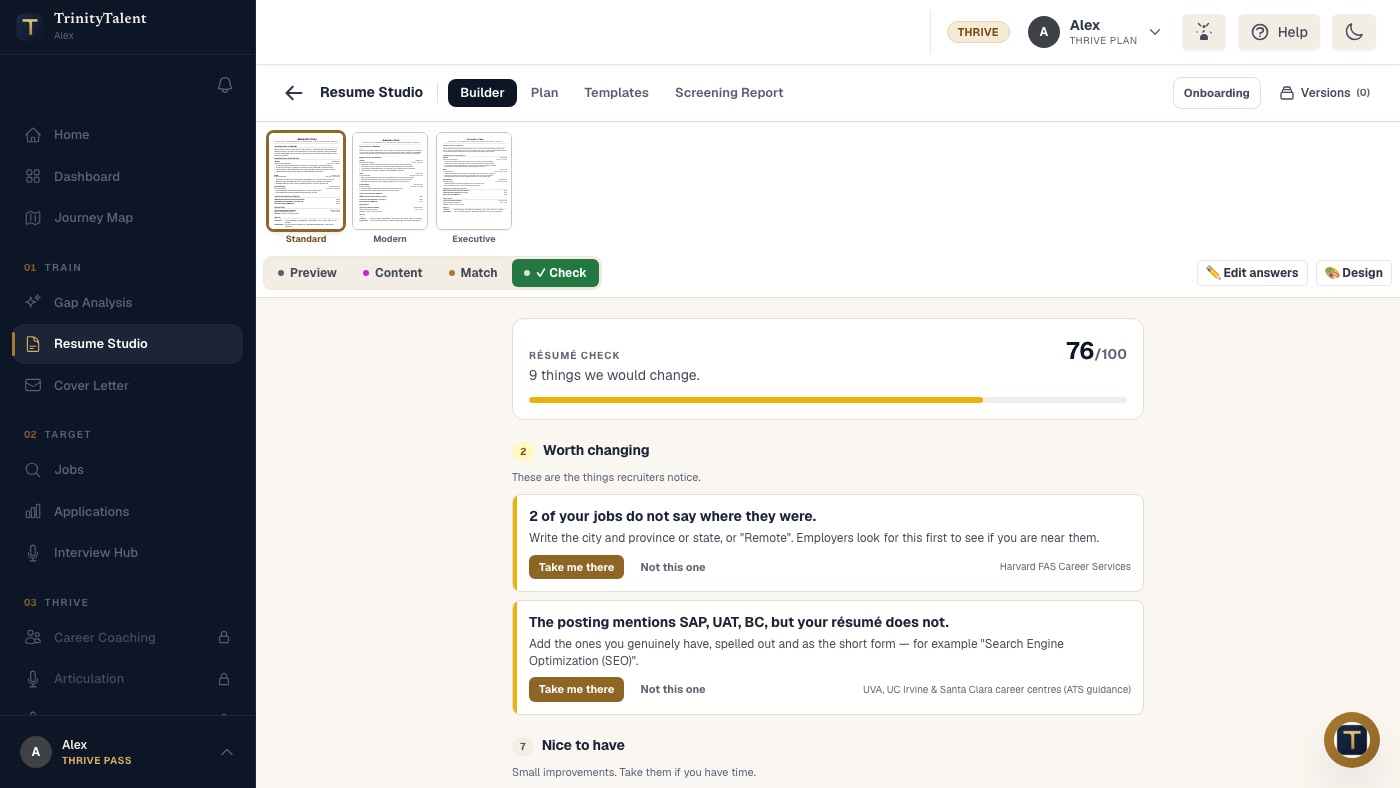
The Check tab is a deterministic, rules-based scan that runs on your device with nothing uploaded: it flags merged bullets, missing numbers, weak verbs and other problems a parser or a recruiter trips on, cites the career-centre guidance behind each finding and offers a one-click fix. For a broader view, the Screening Report reviews structure, readability and parsing compatibility, with an optional match against one real posting. Building, editing and exporting your resume on TrinityTalent is free.
Frequently asked questions
How do I know if my resume has parsing errors?
Paste the whole resume into a plain text editor and read it top to bottom. If your name comes first, contact details are present, each job appears as title, employer, dates and bullets in order, and nothing is scrambled, it will parse. Many portals also show the parsed fields on a review screen before you submit.
Is a PDF or a Word file safer for parsing?
Both parse well when the file is text-based and single-column. A PDF keeps your layout fixed; a Word file is easier for some older systems. The dangerous case is a PDF made from an image or a design tool where the text became shapes. Test by trying to select the text.
Do resume templates with two columns always fail?
Not always, but often enough that the risk is not worth it. The parser reads across both columns, so skills and experience interleave and dates can shift to the wrong role. A single-column version of the same content looks slightly plainer and parses every time.
Can I use icons for phone and email on my resume?
No. Icons are symbol-font glyphs or small images, and a parser sees nothing or a stray character where the label should be. Write "Phone:" and "Email:" as words, or simply list the number and the address on one plain line under your name.
Put this into practice
Run the free Check on your resume. It is a deterministic scan on your device that flags the layout and text problems a parser trips on, with a fix for each.
Check your resume free