
What Is an Applicant Tracking System and How Does It Work?
An applicant tracking system, usually shortened to ATS, is the software an employer uses to receive, store, search and rank job applications. When you press submit on a company careers page, an applicant tracking system is what receives the file: it reads your resume into fields, asks you the screening questions, and shows the recruiter a sorted list. It does not read your resume the way a person does, and it does not reject you on its own. This guide explains each stage, what a knockout question is, the myths behind bad advice, and the four things you control.
TL;DR: An ATS receives your application, parses the resume into fields, stores it in a searchable database, and ranks or filters candidates by keyword match and screening answers. A recruiter then reads the shortlist. No robot rejects you; a knockout question or a low keyword match keeps you off the list a human reads. You control parsing, keywords, answers and consistency.
What an applicant tracking system is
Almost every employer with more than a few dozen staff uses one. The purpose is the same: a posting can attract hundreds of applications, and a recruiter needs one place to hold them, search them, note who has been called, and move people through stages from applied to hired.
Think of it as a database with a workflow attached. The resume you upload becomes a record. The questions you answer become fields on that record. Everything a recruiter does with you afterwards (screen, interview, offer, reject) is a status change on the same record.
Stage one: parsing your resume into fields
When the file arrives, a parser reads the text and tries to fill standard fields: name, email, phone, location, each employer with its title and dates, education, and a skills list. It works from the words and their order on the page. It does not see design.
That is where most problems start. Text in a table or a second column is read across the page, so a date from the left column can land next to an employer from the right. Text boxes and headers are often skipped, and that is where many templates put contact details. Unusual section headings ("My Journey" instead of "Experience") may not map to a field at all. Image-based PDFs, such as a scanned page, contain no text to read.
The safest resume for a parser is boring: single column, standard headings, plain text, real dates. You can test your own by copying the resume into a plain text editor and reading it in order; if the text is scrambled, the parser will be too.
Stage two: search, filters and ranking
Once parsed, your record joins every other applicant to that posting. The recruiter can now search and filter. Common filters are the answers to screening questions (work authorization, location, licence held), years of experience, and keywords: the tools, certifications and job titles in the posting.
Some systems also rank. They compare the terms in your resume with the terms in the posting and show the closest matches first. This is a keyword count, not judgement. It rewards resumes that use the posting's own words for the things you genuinely did, and it cannot tell that "spreadsheet modelling" and "Excel" are the same skill. The resume keywords guide shows how to find and use those terms without stuffing.
Ranking decides who gets read first, not who gets hired; being near the top of that list is the practical goal.
Stage three: what the recruiter actually sees
The recruiter opens a profile page, not your designed PDF. It shows the parsed fields, the screening answers, any notes from colleagues, and a link to the original file. Many recruiters look at the parsed summary first and open the original only if it looks promising. If the parse dropped your last two employers, those employers do not exist until someone opens the file.
A clean profile with dated roles, a summary that names the target role and bullets with numbers gets opened. A profile with blank date fields and a skills list of 30 items with no evidence gets skipped. The software delivered you to the human; the resume has to do the rest.
Knockout questions
A knockout question is a screening question with a required answer. "Are you legally entitled to work in Canada?", "Do you hold a valid class 5 licence?", "Are you able to work weekend shifts?". Answer outside the required range and the system marks the application as not meeting the minimum, and it may never appear on the recruiter's list.
Example
A hospital posts a nursing role that requires current provincial registration. The application form asks "Are you currently registered?" with yes or no. Amara is registered but is waiting for her renewal card and answers "no" to be safe. Her application is filed under "does not meet requirements" and nobody reads her strong resume. The correct answer was "yes", with the renewal date noted in the cover letter.
Answer knockout questions accurately and, where the truth is a yes with a condition, say yes and explain the condition in the free-text field or cover letter.
Myths that cause bad advice
- "The ATS rejects most resumes automatically." It filters on knockout questions and ranks by match. A human decides everything else. Most rejections are people, not software.
- "Put keywords in white text to beat it." Parsers read all text, including white text, and recruiters see it in the parsed profile. It reads as deception.
- "Use every keyword in the posting." Unsupported keywords get you read, then rejected at the interview stage. Use the ones you can prove.
- "A PDF cannot be parsed." A text-based PDF parses fine on modern systems. A scanned or image PDF does not.
- "Fancy templates show effort." Two columns and icons show effort to a person and scramble for a parser.
What a candidate controls
- Parsing. Single column, standard headings, plain text, dates on every role, a text-based PDF or a Word file as the posting asks.
- Keywords. The posting's exact terms for the skills and tools you have, placed in the summary, skills block and bullets.
- Screening answers. Honest, complete, consistent with the resume.
- Consistency. Titles, dates and employers that match your LinkedIn profile and your references. Mismatches are what recruiters check first.
For how employers add AI tools on top of the ATS, and what that changes, see how employers use AI in hiring.
How TrinityTalent helps
TrinityTalent's free ATS resume checker addresses the two stages you can influence. The Check tab in the resume builder is a rules-based scan that runs on your device: it cites the career-centre guidance behind each finding and offers one-click fixes for weak verbs, missing numbers and merged bullets. Every template is single-column and ATS-safe, so the parsing stage is handled by design, and you export to Word or PDF as the posting asks.
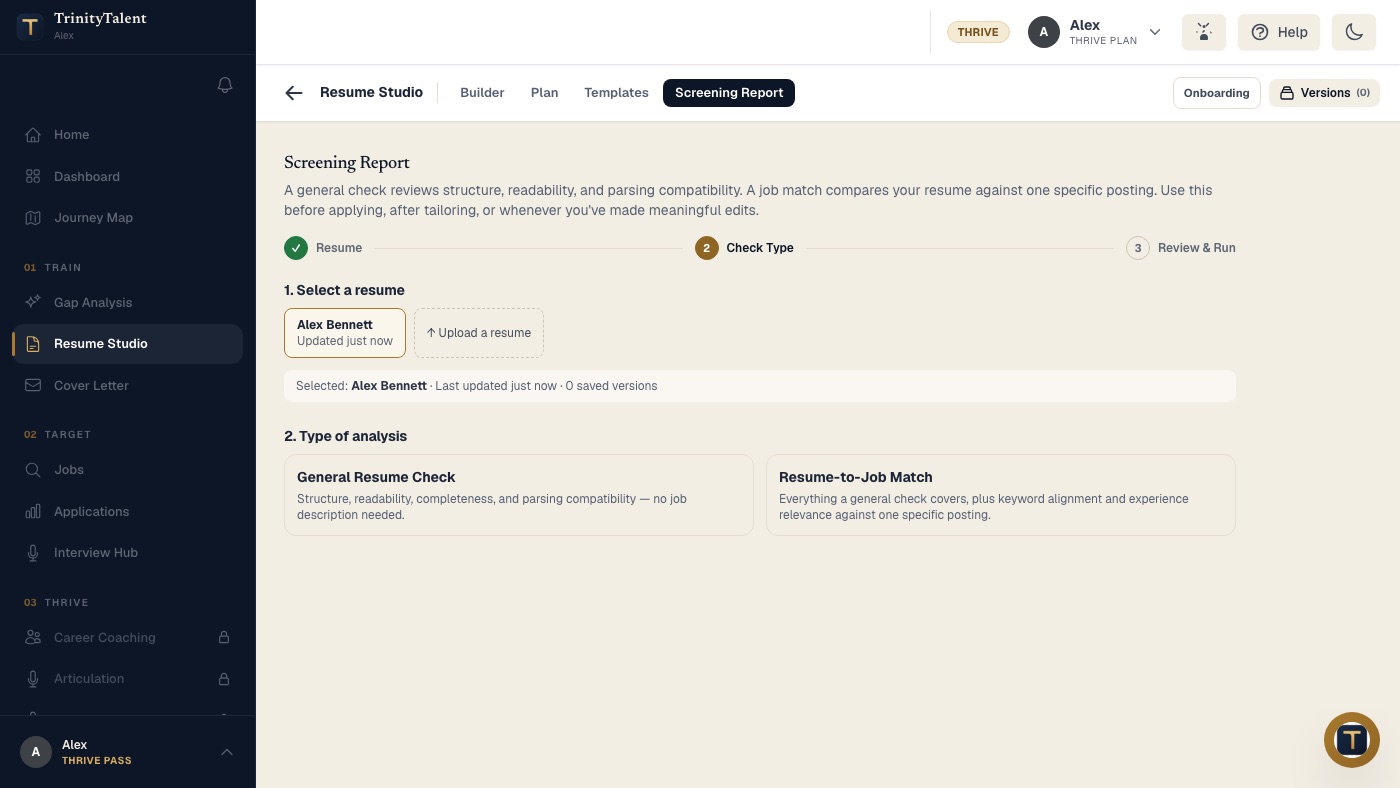
The Screening Report goes one step further. A general check reviews structure, readability and parsing compatibility with no posting needed; a resume-to-job match adds keyword alignment and experience relevance against one specific posting. When you tailor the resume, the builder reads the real posting rather than a paraphrase and rewrites from your facts only, and you review every change. Nothing is ever submitted without you. Building, editing and exporting your resume on TrinityTalent is free.
Frequently asked questions
Does an applicant tracking system automatically reject resumes?
Not on its own. It filters applications by knockout-question answers and ranks the rest by how closely the text matches the posting. A recruiter reads the shortlist and makes every decision. A poor parse or a low match means you are read late or not at all, which is a different problem with a fix.
How do I know if a company uses an ATS?
If the application opens on a careers portal with a login, an upload step and screening questions, it is an ATS. Small employers who ask for an email with an attachment usually read applications by hand.
What resume format works best with an applicant tracking system?
A single-column layout with standard section headings, plain text, month-and-year dates on every role, and a text-based PDF or Word file. Avoid tables, two columns, text boxes, headers and footers for contact details, icons and scanned images.
Can I see what the ATS parsed from my resume?
Sometimes. Many portals show a review screen where the parsed fields are pre-filled before you submit; check every date and employer there. If there is no review screen, paste your resume into a plain text editor and read it top to bottom; that is roughly what the parser sees.
Put this into practice
Run a free Screening Report on your resume: a general check of structure and parsing compatibility, or a match against one real posting, before you apply.
Check your resume free