
How to Apply Through Workday, Greenhouse and Lever
If you want to know how to apply through Workday, Greenhouse or Lever without losing your application to a parsing error or a mismatched profile, start by understanding what each portal does with your upload. Knowing how to apply through Workday matters most because it is the most demanding of the three: it builds a profile from your resume and then asks you to correct it. Greenhouse and Lever are shorter but have their own traps. This guide walks through each portal, the mismatch that costs the most candidates, the questionnaire, and what to do the moment you press submit.
TL;DR: Workday parses your resume into a multi-step profile; read and correct every field it fills. Greenhouse is a single-page form with custom questions; answer them for this posting. Lever is short and often asks for a profile link; make sure it matches your resume. In all three, save the posting text before you submit and record which resume version you sent.
What all three have in common
Workday, Greenhouse and Lever are applicant tracking systems: the software an employer uses to collect applications, parse resumes into searchable fields, run knockout questions, and give recruiters a ranked list. The employer chooses the system; you meet it as the careers page. Our guide to how an applicant tracking system works explains the mechanics.
On every portal, three things are true. The parser is imperfect. The fields you type are what the recruiter searches. And the posting disappears once the role fills, so save the text before you apply.
Applying through Workday
Workday is used by many large employers, and each employer runs its own instance, so you will often need a separate account per company. The flow is usually:
- Create an account or sign in for that employer's instance. Use one email address for all your applications so you can find them later.
- Upload your resume. Workday parses it and pre-fills the next steps: My Information, My Experience, and often Education and Skills.
- Correct the parsed profile. This is the step that decides the application. The parser may split one job into two, merge two jobs into one, put a date in the wrong field, or drop a role entirely. Read every pre-filled field against your resume.
- Answer the application questions. Eligibility, availability, sometimes a short set of role-specific questions.
- Voluntary disclosures. Demographic questions, which are optional and separate from the hiring decision.
- Review and submit. The review page shows everything; read it once more.
A fictional example. Grace Adeyemi uploaded a resume with two roles at the same employer. Workday merged them into one entry with the earlier title and the later dates, so her promotion disappeared and her most recent title was wrong. She caught it on the My Experience step and split the entry by hand. Candidates who skip the review send a profile the recruiter reads as a demotion.
Applying through Greenhouse
Greenhouse presents a single page, usually with no account required. You upload a resume, enter a few contact fields, and answer the employer's custom questions. It may auto-fill some fields from the resume or from a profile link.
The trap here is the custom questions. Employers write them for this role: "Describe a time you handled a difficult client", "Which of our products have you used", "Why this team". They are read by a person, and they are often the first thing read. Answer them for this posting, in two to five sentences each, with a specific example. A generic answer pasted from a previous application is visible immediately.
If Greenhouse offers a cover letter field, use it; the reader is a human.
Applying through Lever
Lever is the shortest of the three. A single form asks for your name, email, phone, resume, and often a link to your professional profile or portfolio, plus a handful of additional questions. It may attempt to fill fields from the resume you upload.
Two traps. First, the profile link: the recruiter will open it, so your online titles and dates must match the resume, and the profile must be public. Second, the additional information box, which many candidates leave empty. Use it for one or two sentences that connect you to this posting, such as a referral or the one result that fits the role most.
The profile-versus-resume mismatch
Across all three portals, the most damaging error is a difference between what the file says and what the fields say. The parser causes some of it; rushed typing causes the rest.
Before you submit on any portal, compare three things field by field: job titles, employer names, and start and end dates. They must be identical across the resume you attached, the fields you typed or corrected, and your public online profile. Where the parser has guessed wrong, fix the field. Where your profile is out of date, fix the profile before you apply.
Our guide to autofilling job applications covers how to fill the fields quickly without introducing this error.
The questionnaire
Every portal asks eligibility questions, and many add role-specific ones. Treat them in two groups.
- Knockout questions: work authorization, sponsorship, required licences or certifications, minimum years, willingness to relocate, availability for shifts. These are screened automatically. Read each twice and answer as your documents say.
- Screening questions: years with a specific tool, a description of relevant experience, salary expectations. These are read by a person or used for ranking. Answer specifically and consistently with your resume.
If a question has a free-text box beside a yes-or-no answer, use it when the plain answer is incomplete. One sentence of context is enough.
Save the posting, then track the application
Postings on all three portals are removed when the role fills, sometimes within days. Before you submit, copy the full posting text into your records with the date, the portal, the resume version you attached and any custom answers you wrote. When the recruiter calls three weeks later, you will have the exact requirements you were matched against and the exact words you sent.
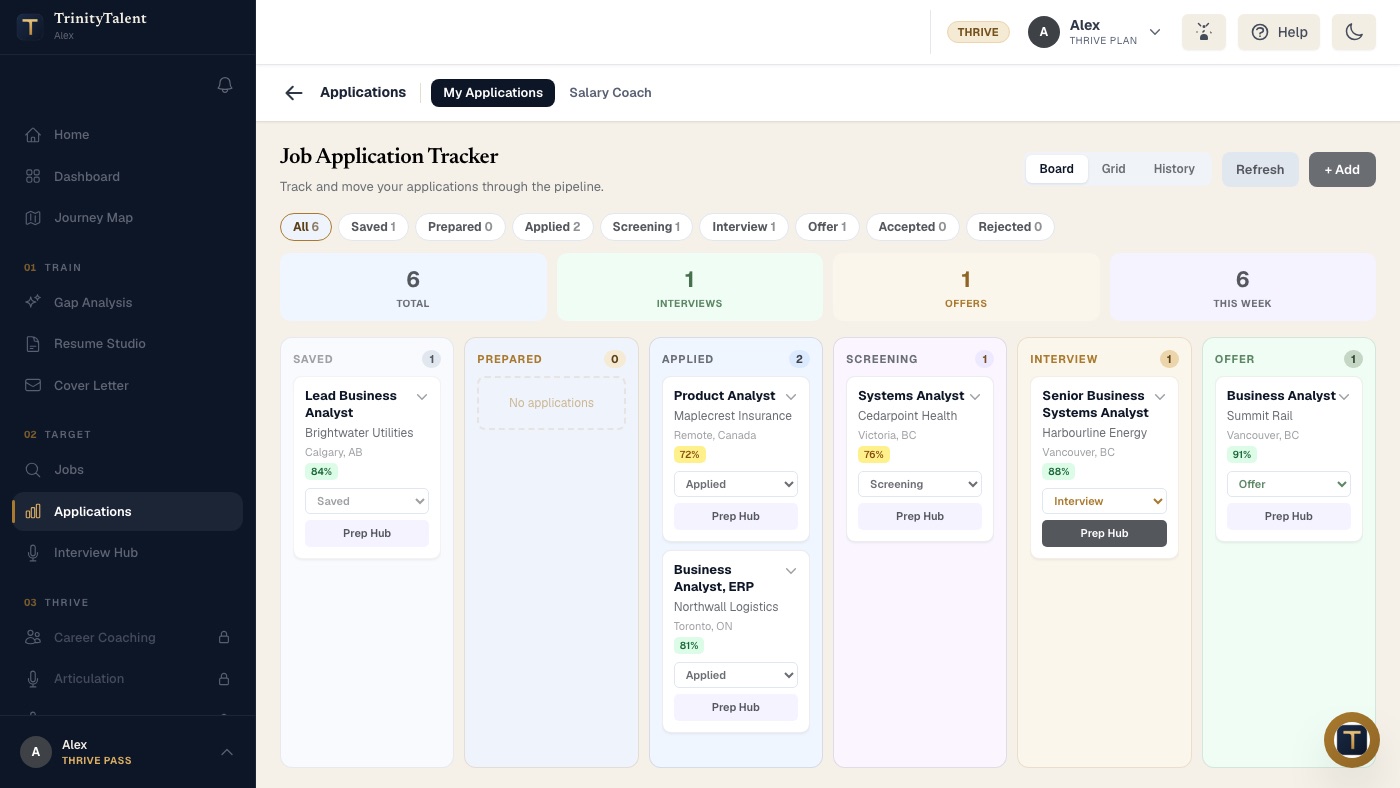
Then track the application by stage. Workday shows a status inside your account; Greenhouse and Lever usually do not, so your own record is the one that works everywhere. Move the card from Applied to Screening when a recruiter contacts you, and note the date.
How TrinityTalent helps
TrinityTalent's free resume builder runs a rules-based Check on your device before you export, so the file you upload to any portal parses cleanly: standard headings, one column, real text, consistent dates. Word and PDF export keep that structure, and the Screening Report reviews parsing compatibility and, when you paste the posting, keyword alignment against that specific job.
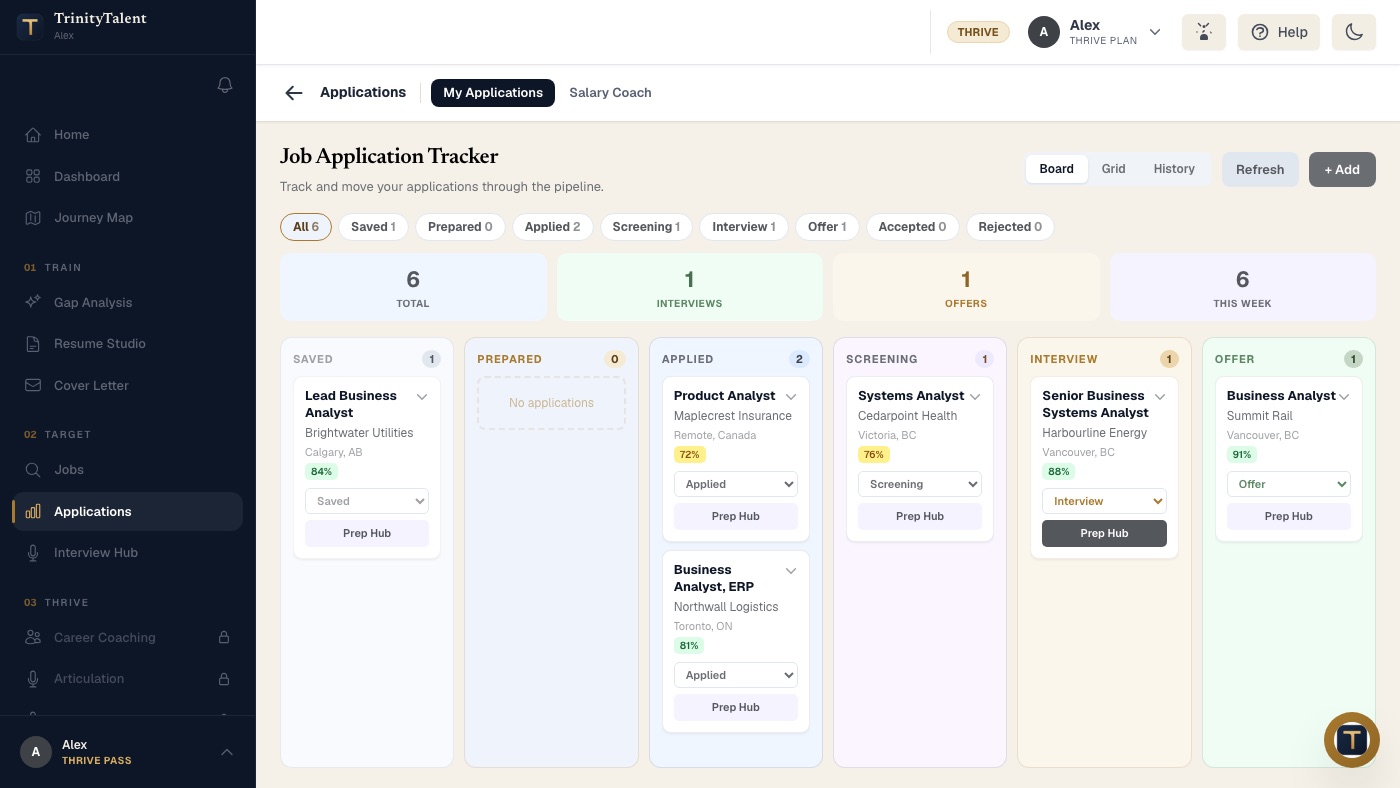
The Chrome extension fills application forms on Workday, Greenhouse, Lever, iCIMS and Taleo from your resume and your stored eligibility facts, then stops for you to review every field and press submit yourself; nothing is ever submitted without you. The Application tracker keeps the posting text and the resume version sent with each card, and moves it from Saved through Applied, Screening, Interview and Offer, so your record works across every portal. All of this is free while the product is in beta.
Frequently asked questions
Why does Workday ask me to re-enter my resume after I upload it?
Workday parses your resume into profile fields that recruiters search and filter on, and parsers are imperfect, so it shows you the result to correct. Read every pre-filled field against your resume. Merged roles, split roles and misplaced dates are common, and an uncorrected profile is what the recruiter reads.
Do I need a separate Workday account for each company?
Usually yes. Each employer runs its own Workday instance, so your account with one company does not carry to another. Use the same email address for every account so you can find your applications later, and keep your own record of where you applied, because Workday's status view is per employer.
How is applying through Greenhouse different from Workday?
Greenhouse is a single page, usually without an account, with a resume upload, a few contact fields and custom questions written by the employer for that role. The custom questions are read by a person and are often read first, so answer them specifically for the posting rather than pasting a generic response.
Should I save the job posting before applying through a portal?
Yes, always. Portals remove postings once the role fills, sometimes within days, and none of the three reliably shows you the original text afterwards. Save the full text, the date, the portal and the resume version you attached, so you can prepare for the interview from the requirements you were actually matched against.
Put this into practice
Check your resume parses cleanly before you upload it, then let the tracker keep the posting text and the version you sent to each portal.
Check your resume free