
How Recruiters Read Resumes: The 7-Second Scan, Explained
Understanding how recruiters read resumes changes what you put at the top of the page. Recruiters do not read resumes; they scan them, and knowing how recruiters read resumes in the first few seconds tells you exactly what to place where. The first pass is a quick scan for the job title, the current role, the dates and the employers. Only resumes that pass the scan get a second, slower read. This guide explains both passes and shows how to design a page that survives the first and rewards the second.
TL;DR: A recruiter's first pass is a scan of a few seconds, often described as the seven-second scan. The eyes follow an F-shape: across the top, down the left edge, across again near the middle. They check the target title, current role, dates and employer names. Put those facts in the top third, in plain text, and save detail for the second read.
Two reads, not one
A recruiter handling a live posting may open dozens or hundreds of resumes in a day. They cannot read each one in full, so they triage. The first pass takes a few seconds and answers one question: is this person plausibly in range for the role? The second pass, given only to resumes that pass, takes a minute or two and answers a different question: is there evidence this person can do the job?
Most resume advice optimizes for the deep read and loses the reader in the scan before any detail is seen. Design for both, in order.
What the eyes do in the first scan
Eye-tracking studies of web pages and documents consistently show an F-shaped pattern. Readers move across the top line, drop down the left edge, then move across again lower on the page, with less attention each time. On a resume, that means:
- The top line: your name, your professional title, your location.
- The left edge: job titles, employer names and dates, which sit at the left of each entry.
- The middle band: the first line of your most recent role.
Anything on the right side of the page, deep in a paragraph or below the first fold gets almost no attention on the first pass. The recruiter is looking for four facts and nothing else.
The four facts they are checking
- Does the title match? A recruiter hiring a "Financial Analyst" looks for that phrase or a close one. If your headline says "Finance Professional" they have to work to make the match, and often they will not.
- What is the current or most recent role? Title and employer. This tells them your level and your industry in two words.
- Do the dates make sense? Length of tenure, gaps, and whether the most recent role ended. Dates on the right margin are read; dates buried inside a sentence are not.
- Are the employer names recognizable or at least explainable? A recruiter cannot judge an unfamiliar small company, so a one-line description under it helps.
If those four facts line up with the posting, you are through. If they do not, the finest bullets on the page will not save you, because they are never read.
Design the top third for the scan
The top third of the first page is your whole first impression. Fill it with the four facts, in the order the eyes move.
- Headline under your name: the target job title, matching the posting's words. Not a slogan.
- Summary: three or four sentences that name the role, your scope and one result. Our guide to writing a resume summary covers the structure.
- Most recent role: title in bold on the left, employer beside it, dates on the right, then a one-line description of the company if it is not well known.
- First bullet: your single strongest result for this posting, with a number.
Consider a fictional candidate, Daniel Okafor, applying for a "Supply Chain Coordinator" role. His old headline read "Logistics Enthusiast and Problem Solver". His new one reads "Supply Chain Coordinator". His summary opens with that title and his four years in distribution. His current role, "Inventory Analyst, Northgate Foods, 2023 to present", sits directly below, with a first bullet about cutting stock-outs by a third. A recruiter scanning finds every fact in the first eight lines.
Design the rest for the deep read
Once the scan passes, the recruiter slows down. Now they are looking for evidence, and now your bullets matter.
- Lead each bullet with an action verb and end with a measurable result.
- Keep bullets to one or two lines; a paragraph invites skipping.
- Order bullets within each role by relevance to this posting, not by chronology.
- Group skills so the reader can find the ones the posting names in seconds.
- Keep education short unless you are a student or the role requires a specific credential.
The deep read is also where the recruiter tests consistency. Do the skills you list appear in the bullets? Does the summary's claim about scope match the roles below it? Unsupported claims are noticed here.
What makes a recruiter stop reading
These are the most common reasons a resume fails the scan even when the candidate is qualified.
- No target title. The recruiter has to infer what you are applying for.
- The wrong thing first. A student who leads with a part-time job instead of a relevant degree; a professional who leads with education from a decade ago.
- Dates that are hard to find. Months and years inside sentences, or only years with no months when the posting asks for recent experience.
- A dense first page. Small font, narrow margins and long paragraphs signal effort to read, and the recruiter has many other files open.
- Two columns. The F-pattern breaks when the eyes must choose a column, and the right column is usually skipped.
- A mismatch with the profile. Dates or titles that differ from your online profile cost trust immediately.
Apply the scan yourself
Before you send a resume, run the recruiter's test. Set a timer for ten seconds, open the file and read only the top third and the left edge. Then close it and write down the job the person wants, their current role, how long they have held it and who they work for. If you cannot answer all four, fix the top third before you touch a single bullet.
How TrinityTalent helps
TrinityTalent's free resume builder is built around the two-read model. Every template is single-column, so the F-pattern is never broken by a second column, and the headline, summary and most recent role always sit in the top third where the scan lands. The rules-based Check runs on your device and flags the scan-killers: a missing target title, a summary without a number, dates that are inconsistent, and bullets that read as paragraphs.
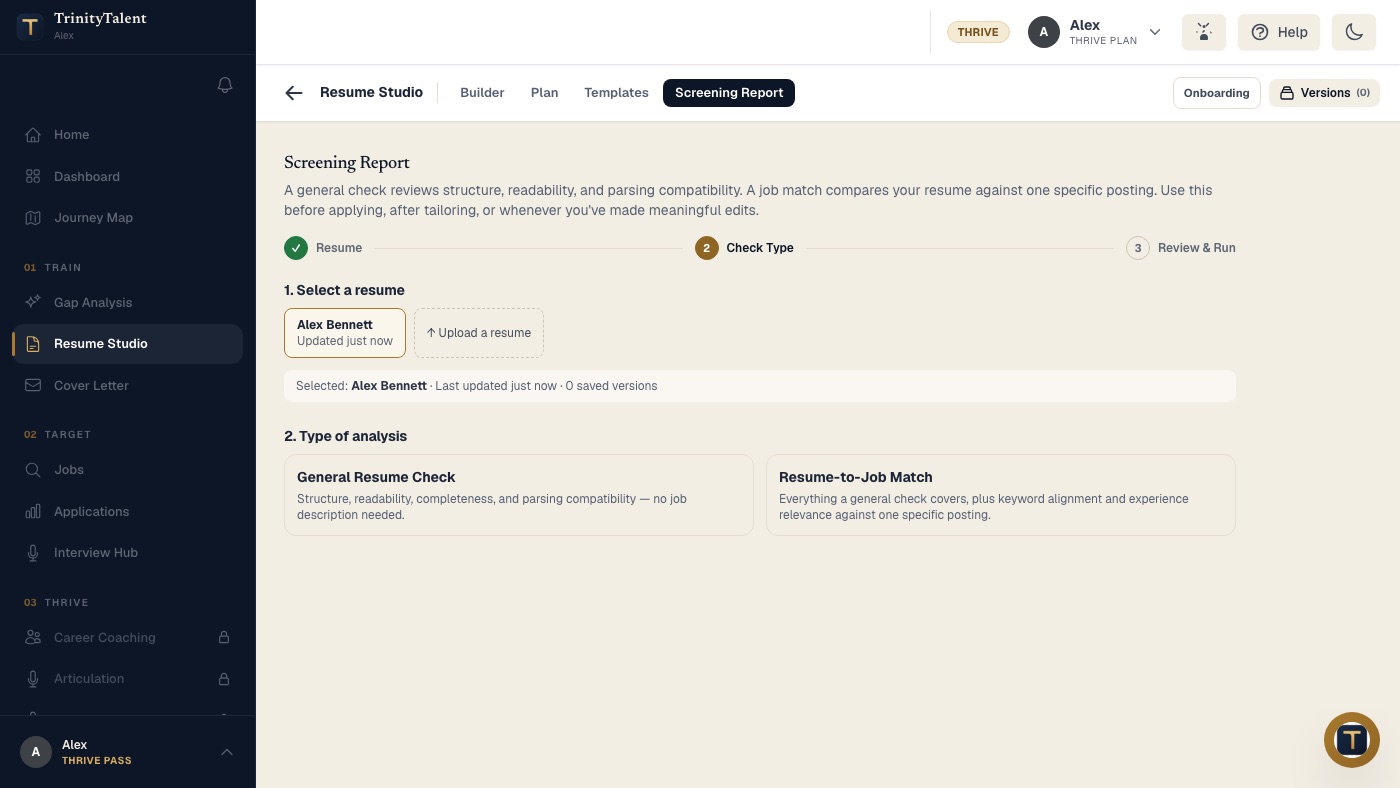
The Screening Report goes a step further. It reviews structure, readability and parsing compatibility, and, when you paste a posting, it compares your resume against that specific job so you can see how the first read and the keyword match land before you apply. Editing and the on-device check are free while the product is in beta, and nothing is submitted anywhere without you.
Frequently asked questions
How long do recruiters actually spend on a resume?
The first pass is a scan of a few seconds, often described as the seven-second scan, and it decides whether a slower read follows. Resumes that pass get a minute or two of real attention. The exact number matters less than the two-stage structure: design the top third for the scan and the rest for the deep read.
What do recruiters look for first on a resume?
Four facts: the target job title, the current or most recent role and employer, the dates, and whether the employers are recognizable or explained. These sit along the top line and the left edge of the page, which is where the eyes go first. If those facts match the posting, the recruiter keeps reading.
Does the F-pattern apply to a two-column resume?
No, and that is the problem. The F-pattern assumes one column: across the top, down the left edge, across again. A second column forces the eyes to choose, and the right column is usually skipped. Many applicant tracking systems also parse two columns poorly, so a single-column layout wins on both counts.
Should my resume headline match the job title in the posting?
Yes, as long as it is honest. The recruiter is scanning for the title they are hiring for, and a headline that uses the same words makes the match instant. If your current title is different, use the posting's title as your headline and keep your actual title in the experience entry.
Put this into practice
Run the free Screening Report on your resume to see how it reads in a first scan and where the top third is losing the reader.
Check your resume free