
How Long Should a Resume Be? A Clear Answer by Career Stage
How long should a resume be? One page if you have less than about five years of experience, two pages for most professionals, and more than two only for an academic CV where publications and grants are the point. That is the whole answer for Canada and the United States. The harder question is what to cut to get there, and this guide answers it by career stage, with a cutting order, two worked examples, and the mistakes that make a resume long without making it better.
TL;DR: Students, new graduates and anyone under five years of experience: one page. Most professionals: two pages, with the first page carrying everything that matters. Senior leaders: two pages, rarely three. Academic CVs have no limit. Cut old roles, duty statements and repeated bullets before you touch fonts or margins.
The short answer by career stage
- Student or new graduate: one page. You have co-op terms, projects and part-time work; a recruiter expects them to fit.
- Early career, under five years: one page. Two pages at this stage signals padding.
- Mid-career, five to fifteen years: two pages. The first page carries the summary, skills and your most recent two roles.
- Senior leader, fifteen years and more: two pages, occasionally three when a board or an executive search firm asks for a full record.
- Academic, research or medical CV: no fixed limit. Publications, grants, teaching and service are listed in full.
A resume is a marketing document, not a history: it holds everything the reader needs to decide on an interview and nothing else.
Why length matters to recruiters and to software
A recruiter screens dozens of resumes for one posting and spends only seconds on the first pass. A one-page resume for a junior role is read in full; a three-page resume for the same role is skimmed, and the strongest line may sit on the page nobody reached.
Applicant tracking systems do not penalise page count. They parse the text into fields and rank the result against the posting. But a long resume dilutes the match: the same keywords spread across five old roles score no higher than the same keywords in two recent ones, and the recruiter opening the parsed profile sees the noise. A shorter resume is also easier to tailor, because there is less to hide for each application.
What to cut first: a cutting order
Work through this list in order. Stop when the resume fits. Do not start with the font.
- Roles older than ten to fifteen years. Reduce each to a single line: title, employer, dates. Or group them under an "Earlier experience" heading with no bullets.
- Duty statements. Any bullet that describes what the job was for rather than what you achieved. "Responsible for answering phones" goes. "Answered 60 calls a day with a two-minute average wait" stays.
- Repeated achievements. If two bullets prove the same skill, keep the one with the bigger number.
- Bullets past the fifth in any role. Recruiters rarely read the sixth.
- The objective statement, "References available on request", and a full street address. All three are dated. A city and province is enough.
- Skills that are assumed. Email, word processing, "internet research". Keep the tools the posting names.
- Long summaries. Three or four sentences, under 70 words. See the guide to writing a resume summary.
Only after all seven should you touch formatting, and even then keep the body between 10.5 and 12 points and the margins at half an inch or more. A resume that fits because the type is tiny does not fit.
What never to cut
Some things stay on the page no matter how tight it is.
- Contact details: name, phone, email, city, and a LinkedIn address if you have one.
- Dates on every role, at least month and year. Missing dates read as hiding something.
- The result bullets that match the posting. These are the reason the resume exists.
- Education, including the credential and the institution. The graduation year is optional after ten years.
- Certifications the posting requires. A required licence buried on page two is a required licence missed.
If the resume is still too long after the cutting order, the problem is usually one role with too many bullets, not a section that should vanish.
One page: two worked examples
Student
Priya is finishing a diploma in business administration with two co-op terms and a part-time retail job. Her one page holds: contact details, a three-sentence summary naming the role she wants, a skills block with the tools her target postings mention, the two co-op terms with three bullets each, the retail job with two bullets, one course project with a measurable result, and education. Nothing from high school.
Early career
Marcus has four years as a maintenance technician across two employers. His one page holds: a summary, a grouped skills block, the current role with five bullets, the previous role with three, one certification, and education. He deleted a summer job from his student years and a "Hobbies" line.
Two pages: how to use the second page
If you are entitled to two pages, treat the first as the resume and the second as the appendix. Page one carries the summary, the skills block, and the two most recent roles in full. Page two carries older roles, education, certifications and any volunteer or professional membership lines.
Put your name and a page number at the top of page two as plain text, not in a graphic. Do not let a role split across the page break if you can avoid it; move a bullet or trim a line. And do not fill the second page to the bottom because it is there. A page and a half that says everything beats two full pages that repeat.
The Canadian norm, and the academic exception
Canadian employers expect the same lengths as the United States: one page early, two pages later, and no photo, date of birth or marital status anywhere. Newcomers sometimes arrive with a four-page CV in the style of another country; the Canadian resume format guide covers what to change.
The academic CV is the one honest exception. Universities and research institutions expect a full record of publications, presentations, grants, teaching and service, and it can run to many pages. If you are applying for both academic and industry roles, keep two documents: a full CV and a two-page resume built from it.
How TrinityTalent helps
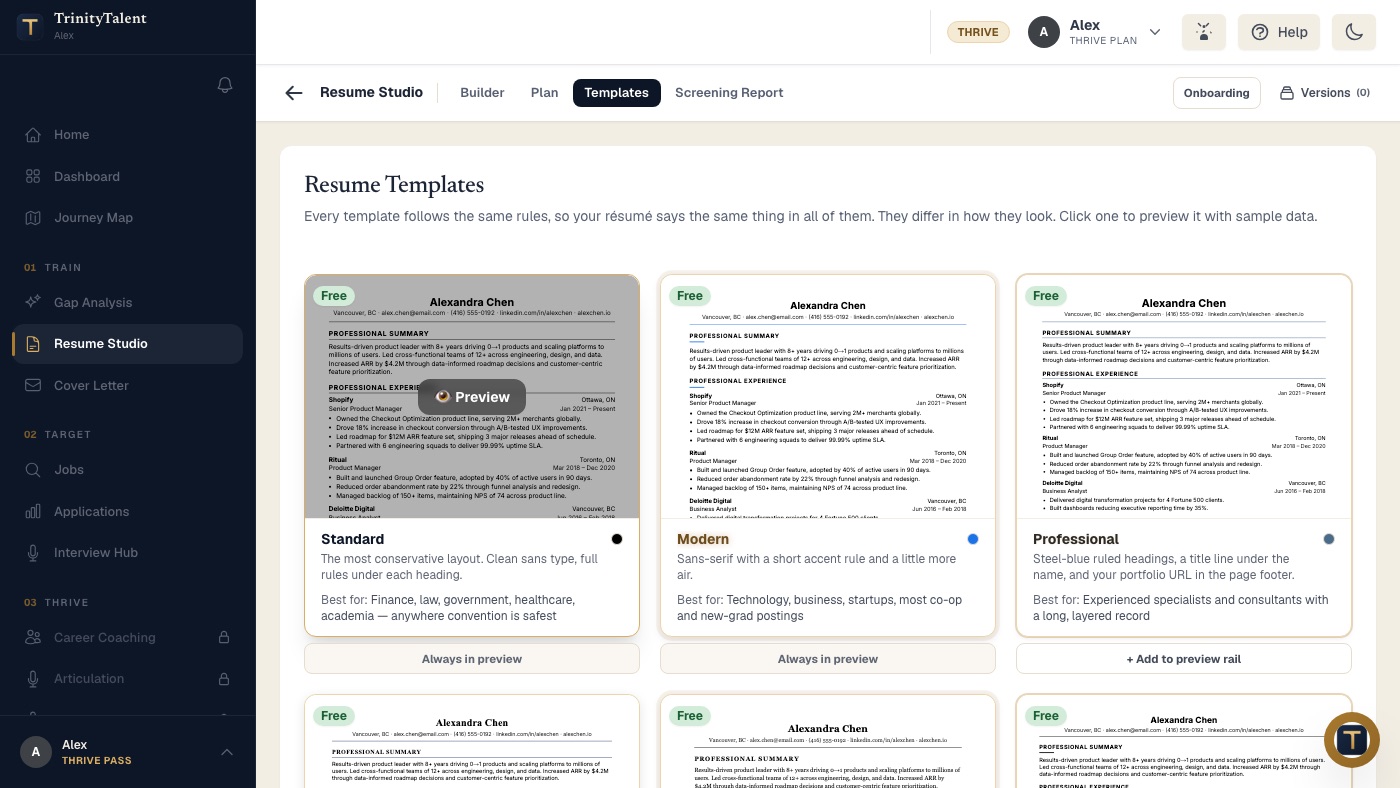
TrinityTalent's free resume builder makes length a content decision rather than a layout fight. Every template is single-column and ATS-safe, and all of them follow the same rules, so your resume says the same thing in each of them and only the look changes. You can preview any template and see exactly where the page breaks fall before you export to Word or PDF.
Editing is free and unlimited. When a bullet is a duty statement or a repeat, you untick it rather than deleting it; it stays in your pool, hidden from this version and ready for another application. The rules-based Check runs on your device and flags weak verbs, missing numbers and merged bullets, with the career-centre source behind each finding. Building, editing and exporting your resume on TrinityTalent is free.
Frequently asked questions
Can a resume be two pages?
Yes, once you have about five years of experience or more. Most mid-career professionals need two pages to show recent roles with results. Keep everything that decides an interview on page one, and put your name and a page number at the top of page two.
Is a one-page resume better?
For students, new graduates and anyone with under five years of experience, yes. For experienced professionals a one-page resume can hide the depth a recruiter is looking for. The right length is the shortest one that holds every relevant result with a number.
How far back should a resume go?
Ten to fifteen years in detail. Older roles can be reduced to one line each or grouped under an "Earlier experience" heading with no bullets. Leaving them out entirely is acceptable if they are not relevant to the posting, as long as it does not create an unexplained gap.
Should I shrink the font to fit on one page?
No. Keep body text between 10.5 and 12 points and margins at half an inch or more. If the resume does not fit, cut old roles, duty statements and repeated bullets first. A page that fits only because the type is tiny is harder to read for people and no better for software.
Put this into practice
Build your resume in the free builder and switch templates to see where the page breaks fall. Every template is single-column, so what fits is content, not layout.
Pick an ATS-safe template