
Best Resume Fonts, Sizes and Margins for ATS and Humans
The best resume fonts are the ones already installed on every computer: Arial, Calibri, Helvetica, Georgia, Cambria, Garamond and Times New Roman. Choosing among the best resume fonts matters less than the size and the space around the text: body between 10.5 and 12 points, margins between half an inch and one inch, and no meaning carried by colour alone. Those three rules keep a resume readable for a recruiter and safe for a parser. This guide explains each, gives a font shortlist, and shows why a template should be a set of tokens rather than a layout.
TL;DR: Use a standard font that is installed everywhere. Body text 10.5 to 12 points, headings two to four points larger, one font family or two at most. Margins half an inch to one inch on all sides. Black text, with colour only as decoration that could be removed without losing information. Never shrink the type to fit.
Why the font matters less than you think, and the size matters more
Parsers do not care which font you use, as long as it is a real text font. Any standard typeface produces the same characters for the software to read. The font matters to the human: a recruiter reading their fortieth resume of the morning will finish yours if it is easy on the eye and skim it if it is not.
Size and spacing decide that. A resume at 9 points with quarter-inch margins to force two pages into one is harder to read than the two-page version it replaced, and it signals that the writer could not decide what mattered. The guide on resume length covers what to cut instead.
A shortlist of safe fonts
Choose one family, or one for headings and one for body text at most. The safe list is short because the requirement is simple: installed by default on Windows and Mac, clear at small sizes, and unremarkable.
Serif, for traditional and conservative fields
- Georgia: wide and readable on screen; good for finance, law, government and healthcare.
- Cambria: designed for screens, slightly narrower than Georgia.
- Garamond: elegant and compact; use 11.5 or 12 points because it runs small.
- Times New Roman: acceptable and universal, but dense; use 12 points.
Sans-serif, for technology and business
- Calibri: the default in many offices; clean at 11 points.
- Arial or Helvetica: neutral and universal; 10.5 to 11 points.
Avoid
- Decorative or script fonts. They read as unprofessional and some are symbol-based.
- Very thin weights, which disappear when printed or photocopied.
- Fonts downloaded from the web. If the recruiter does not have it, Word substitutes another and your layout shifts.
Sizes: body, headings, name
- Body text: 10.5 to 12 points. Eleven is the usual choice. Below 10.5 the page looks crowded; above 12 it looks padded.
- Section headings: two to four points larger than the body, or the same size in bold capitals. Consistency matters more than the number.
- Your name: 14 to 18 points at the top. It is the one line that should be noticeably larger.
- Dates and employer lines: body size; italics are acceptable for one of them, but not both.
Use the same body size on every page.
Margins and white space
Margins between half an inch and one inch on all four sides. One inch is the traditional default; three-quarters of an inch is a good compromise; half an inch is the minimum, and only if the content needs it. Below that, text runs to the edge, some printers clip it, and the page reads as crammed.
White space inside the page matters as much. Leave a line between sections and a small gap between roles. Set line spacing at single or slightly more; 1.15 reads well.
Colour, bold and lines: rules for emphasis
A resume is read on screen, printed in black and white, and sometimes photocopied. Emphasis has to survive all three.
- Black text. Dark grey is acceptable for secondary lines such as dates; mid-grey is not, because it fades in print.
- Colour as decoration only. A coloured rule under headings or a coloured name is fine as long as the resume means the same thing in greyscale. Never use colour to signal a level, a category or something the reader must notice.
- Bold for a few things. Job titles or employers, one or the other. Perhaps a key figure in a bullet. Bold everything and nothing stands out.
- Italics sparingly. Dates or employer lines, not whole sentences.
- Standard bullets. Round or square. Not arrows, ticks or custom symbols, which are glyphs a parser may read as stray characters.
Why a template should be tokens, not a layout
Most resume templates are layouts: a designer decided where the columns go, where the photo sits, which section is in the sidebar. Every one of those decisions is a parsing risk, and every template makes them differently, so "ATS-friendly" becomes a claim you have to check template by template.
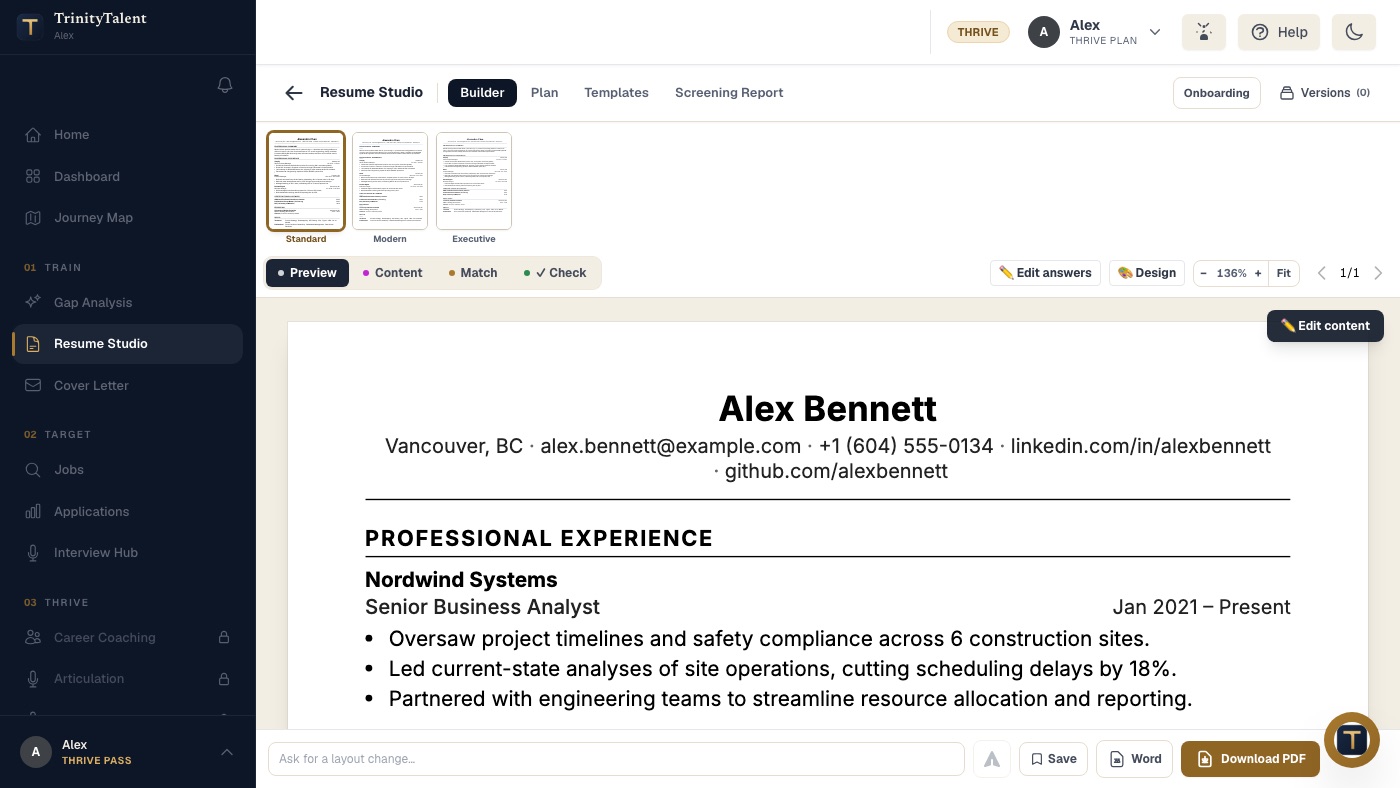
The safer design is a single skeleton, single-column with standard headings in a fixed order, and a set of tokens on top: font family, sizes, margin width, heading style, rule colour. A template then changes only the tokens. It cannot add a column, a text box or a photo, because the skeleton has no place for them. Switching templates changes how the resume looks and nothing about how it reads, which is the whole point.
Guardrails belong at the same level. Font size and margins should be clamped to the safe ranges no matter what the user sets, so that a cosmetic preference can never push a resume outside what parsers and people can read. A design toggle should be able to silence a warning; it should never be able to change the output past the limits.
A formatting checklist
- One standard font family, two at most.
- Body text 10.5 to 12 points, the same on every page.
- Name 14 to 18 points; headings slightly larger than body or bold capitals.
- Margins half an inch to one inch on all sides.
- Black text; colour only as removable decoration.
- Bold for one thing per line at most; italics rarely; no underlining.
- Standard bullets; no icons or symbols.
- Single column; nothing in headers, footers or text boxes.
- Export as a text-based PDF, or Word when asked; see the resume PDF or Word guide.
How TrinityTalent helps
TrinityTalent's free resume templates are built the way this guide recommends: one single-column skeleton with standard headings, and a set of tokens per template for font, size, spacing and heading style. There are eleven templates plus an academic CV, every one ATS-safe by construction; none of them can add a column, a photo or a sidebar, and your resume says the same thing in all of them.
The design controls stay inside parse-safe limits: font scaling and margins are clamped to safe ranges whatever you set, and the ATS Guardrails toggle only silences warnings; it cannot change a single byte of the exported file. So you can choose a serif template for a government application and a sans-serif one for a startup without either choice costing you a parse. Preview any template, then export to Word or PDF. Building, editing and exporting your resume on TrinityTalent is free.
Frequently asked questions
What is the best font size for a resume?
Body text between 10.5 and 12 points, with 11 as the usual choice. Headings two to four points larger or bold capitals at body size, and your name at 14 to 18 points. Use the same body size on every page; shrinking page two to fit is a visible sign of a squeeze.
What margins should a resume have?
Between half an inch and one inch on all four sides. One inch is the traditional default and three-quarters of an inch is a good compromise. Go to half an inch only if the content needs it, and never below, because printers clip the edges and the page reads as crammed.
Can I use colour on my resume?
Yes, as decoration that could be removed without losing information: a coloured rule under headings or a coloured name. Keep body text black or very dark grey, and never use colour to signal a category, a level or something the reader must notice, because many resumes are read or printed in greyscale.
Does the font affect ATS parsing?
Not if it is a real text font installed by default on most computers. Parsers read characters, not typefaces. Problems come from symbol fonts, icon bullets, text turned into shapes by a design tool, and layouts with columns or text boxes, not from choosing Georgia over Calibri.
Put this into practice
Pick any free template in the builder. Font size and margins stay inside parse-safe limits whatever you change, so a design choice cannot cost you an interview.
Pick an ATS-safe template