
Resume Versions: How Many You Need and How to Track Them
Resume versions multiply quickly once you start tailoring, and most job seekers end up with a folder of files they cannot tell apart. The fix is not fewer resume versions but a system: one base version per role family, a tailored copy per application, a snapshot before every large edit, and a record of which version went to which employer. This guide gives you that system, with a naming convention you can adopt today and the reason recruiters notice when you get it wrong.
TL;DR: Keep one base version for each role family you target, usually two or three, not one per job. Tailor each application from the nearest base, save the tailored copy, and record which one you sent in your application tracker. Name files by role family and date. Snapshot before any edit you might regret.
Versions by role family, not by job
A role family is a group of jobs that share a title, a skill set and a reader. "Financial analyst" roles are one family. "Accounts payable specialist" roles are another. The same person may apply to both, and the resume that wins each is different: a different summary, a different lead bullet, a different order of skills.
Within a family, the differences between postings are small. One asks for a specific software; another repeats "month-end close". Those differences are handled by tailoring, which changes a few lines. The family-level differences, which change the story of the whole page, are handled by the base version.
So the count is simple. Number of role families you are seriously targeting equals number of base versions. For most people that is two or three. Five or more usually means the search is unfocused, and a recruiter reading the fifth family's resume will sense it.
What changes between base versions
Base versions share the same facts and the same master, as described in our guide to the master resume. What differs:
- The headline and summary. Each names the family's title and leads with the result that family values.
- The lead bullet in each recent role. The first line a recruiter sees under each job.
- The order and grouping of skills. Tools the family searches for come first.
- Which older roles are expanded. A career changer may expand a role that the other family would compress to one line.
- Sometimes the section order. A version aimed at technical roles may move Projects up; a version aimed at management roles may not.
A fictional example. Marcus Delaney, a nurse moving toward clinical informatics, keeps two bases. "Clinical" leads with acute care scope and patient outcomes. "Informatics" leads with the charting-system rollout he trained 120 staff on, and moves a Projects section above Education. Same facts, two stories.
What changes between tailored copies
A tailored copy starts from the nearest base and changes only what the posting demands:
- The first sentence of the summary uses the posting's exact title.
- Two or three repeated phrases from the posting appear in bullets, in the same words.
- Bullets that do not serve the posting are hidden; bullets that do are moved up.
- Nothing is invented. A missing requirement is a question for the interview, not a new line.
This step should take fifteen to thirty minutes. If it regularly takes longer, the base version is wrong for the family, and you should fix the base instead of fighting each copy.
Name versions so you can find them
A file called "resume final FINAL 2" tells you nothing in six months. Use a convention and never break it:
"Lastname_Family_YYYY-MM_Employer.pdf"
- "Delaney_Informatics_2026-10_base.pdf" is the base version.
- "Delaney_Informatics_2026-10_ValleyHealth.pdf" is the tailored copy sent to a fictional employer.
- "Delaney_Clinical_2026-09_base.pdf" is the other family's base.
The employer name is for you; the file you upload can be renamed to something neutral such as "Marcus_Delaney_Resume.pdf" if the portal shows the filename to the recruiter. Keep the detailed name in your own records.
Snapshot before every big edit
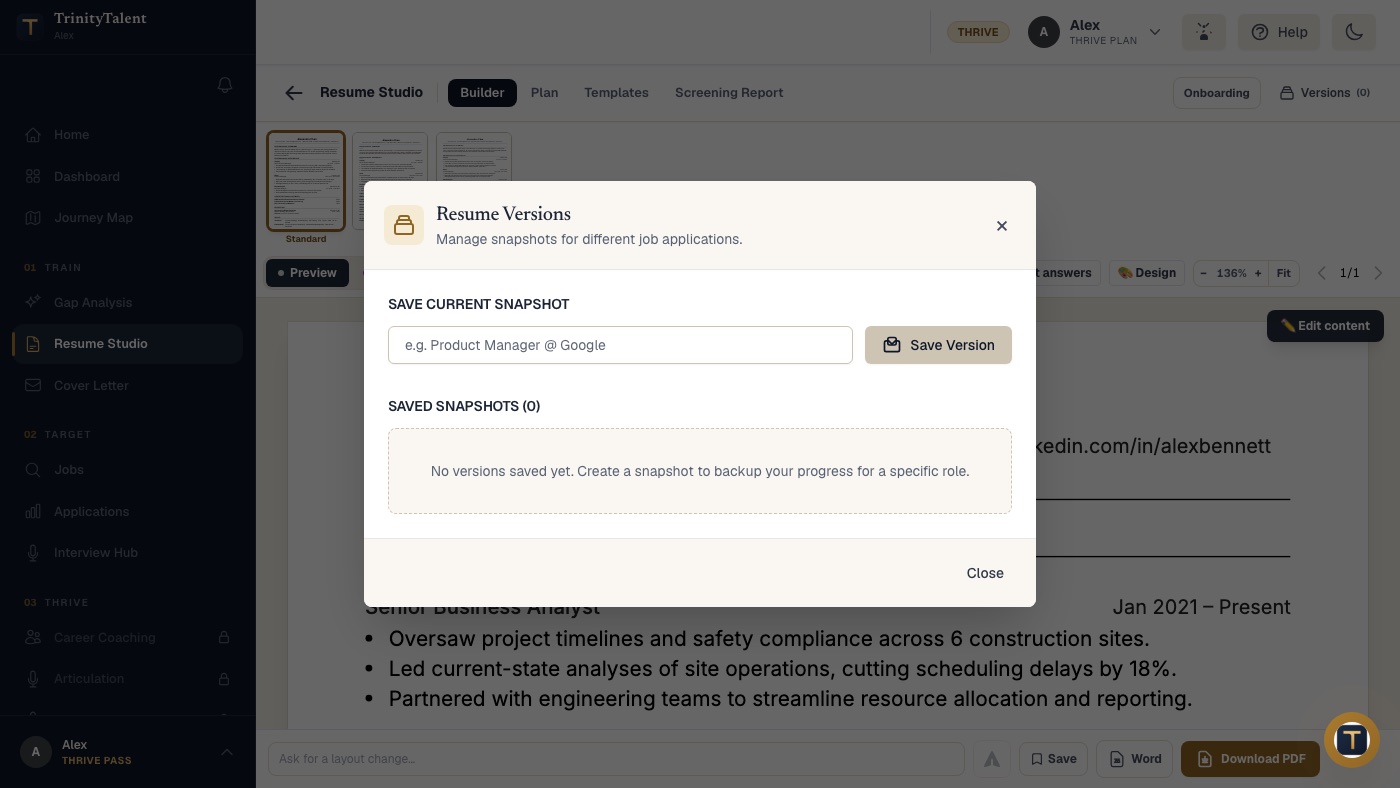
A snapshot is a frozen copy of a version at a moment in time. Take one before any edit you might want to undo: restructuring a base, rewriting the summary, merging two families into one, or letting a tool rewrite bullets. If the edit works, you keep going. If it does not, you restore the snapshot and nothing is lost.
Date every snapshot and add a note about why it exists. "Informatics base, before adding the project section, Oct 2026" is enough. A snapshot is not a new version; it is insurance for an existing one.
Record which version went where
The most expensive mistake with resume versions is not having too many. It is walking into an interview not knowing which one the interviewer is holding. If your resume said "led" and you say "supported", or the interviewer asks about a bullet that is not in the copy you have open, trust drops.
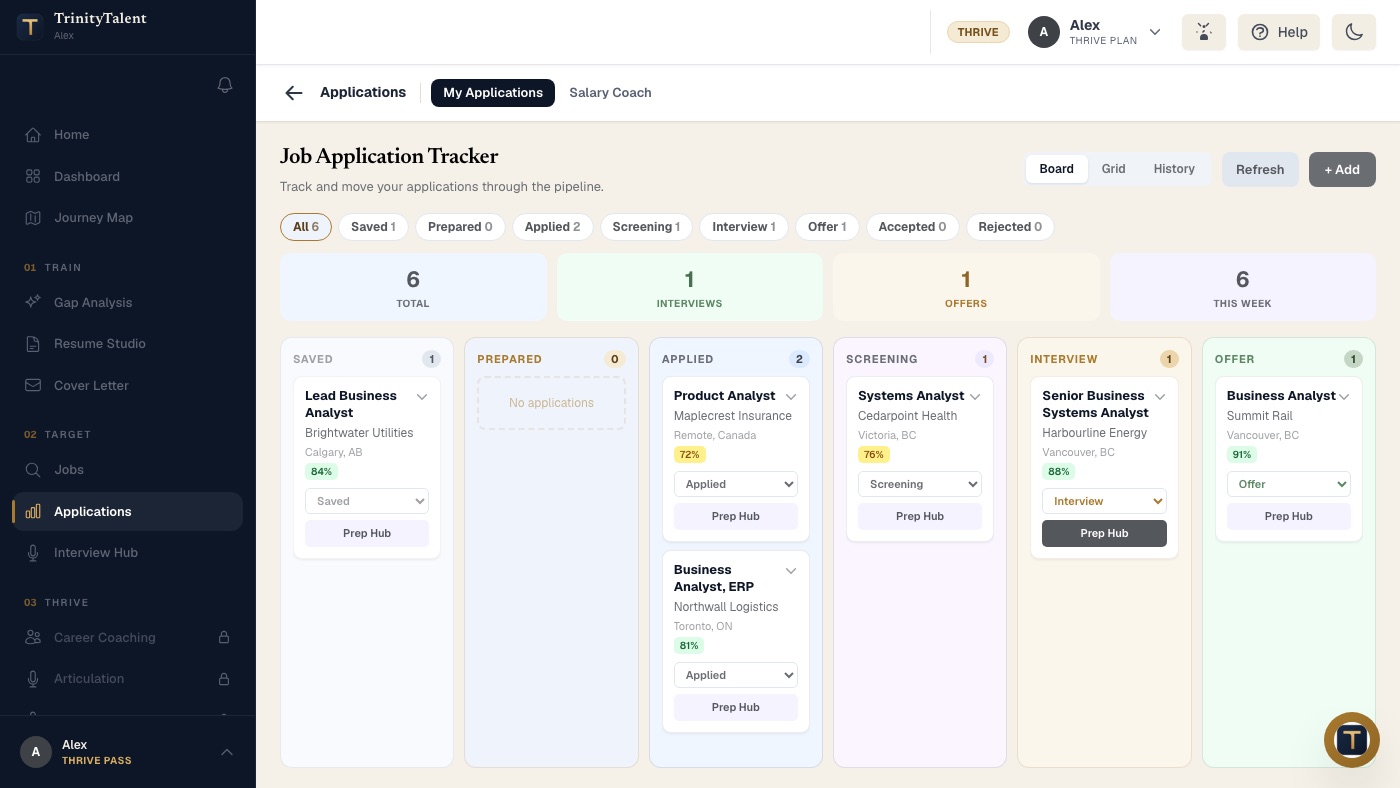
For every application, record three things: the version you sent, the date, and the posting text. Postings are taken down when roles fill, so a saved copy is the only record of what you were matched against. Our guide to organizing your job applications covers the full tracker; here the point is that the resume version is one of its fields.
Before any interview, open the exact version you sent and the saved posting side by side. Read both. Your answers should match the page the interviewer has.
Common mistakes with resume versions
- One version for everything. Postings in different families get the same story, and neither reader sees a fit.
- A version per job with no base. Fifty files, no way to find the good one, and tailoring takes an hour each time.
- Editing the base by accident. Tailored copies must be copies. Protect the base with a snapshot.
- Not recording what was sent. The interview becomes a guessing game about your own document.
- Versions that drift from each other on facts. Dates, titles and numbers must be identical across every version. Only emphasis changes. A recruiter who sees two of your versions, which happens inside large employers, will compare them.
How TrinityTalent helps
TrinityTalent's free resume builder keeps your full resume in one place and lets you save named snapshots of it in the Versions panel, so you can protect a base before an edit and return to any earlier state. Each snapshot can be previewed, renamed and exported to Word or PDF. Editing and the rules-based Check are free and run on your device.
To tailor, the Match tab reads the real posting and rewrites the resume from your own facts in one pass, and you review the result before saving it as a version. The Application tracker stores the posting text and the tailored resume with each card as it moves from Saved to Applied, Screening, Interview and Offer, so the question "which version did I send?" always has an answer. Building, editing and exporting your resume on TrinityTalent is free.
Frequently asked questions
How many versions of my resume should I have?
One base version for each role family you are seriously targeting, usually two or three. Each application then gets a tailored copy of the nearest base. A version for every job with no base is unmanageable; one version for every family of jobs loses the fit that gets interviews.
What is the difference between a resume version and a tailored resume?
A base version tells the story for a whole role family: its headline, summary, lead bullets and skill order. A tailored copy starts from a base and changes only what one posting demands, such as the exact title and a few repeated phrases. Bases change rarely; tailored copies are made for every application.
How do I keep track of which resume I sent to which employer?
Record the version, the date and the full posting text for every application in a tracker. Before an interview, open the exact version you sent beside the saved posting and read both. Your answers must match the page the interviewer is holding, not the version you edited last week.
Should the facts differ between resume versions?
No. Dates, titles, employers and numbers must be identical in every version. Only the emphasis changes: which bullets are visible, which result leads, how skills are ordered. Large employers sometimes see two of your versions, and any factual difference between them costs trust immediately.
Put this into practice
Save a named snapshot of your resume in the free builder, tailor it to a real posting, and let the tracker record which version you sent.
Tailor your resume to a posting