
The Master Resume: Build One Document, Tailor It Everywhere
A master resume is one long, private document that holds every job, every bullet, every project, credential and skill you have ever been able to defend. You never send the master resume to anyone. Instead, you copy from it, hide what does not fit the posting, and send a short tailored version. Most people do the opposite: they keep one two-page file and rewrite it under pressure for each application, losing good material every time. This guide shows how to build the master, how to tailor from it without deleting anything, and how to keep the versions under control.
TL;DR: Build one private document with every role and every bullet, three to eight pages long. Tailor for each posting by copying the master and hiding the bullets that do not fit, never by deleting them. Keep hidden bullets in the pool for the next application. Save a snapshot of the master before any large edit, and name every version by role family.
What a master resume is
The master resume is a source file, not a product. It has the same sections as a normal resume, but with no length limit and no attempt to tailor. Every role carries every bullet you can prove. Every project, certificate, volunteer position and tool appears once.
It is private. Nobody sees it but you, so it can be long, unpolished in places, and full of notes to yourself: the number you are not sure of, the story behind a bullet, the client name you must not disclose. A master resume for someone with ten years of work is often five or six pages. That is correct.
Why one master beats many rewrites
Without a master, each tailored resume is built from the last tailored resume. Bullets that did not fit the last posting are deleted and forgotten. Six months later you cannot remember the result that would have been perfect for this posting.
With a master, tailoring is subtraction. You start with everything and hide what does not serve this application. Nothing is lost, and the next application starts from the full set again. Tailoring also becomes faster, because the work of writing a strong bullet is done once and reused.
There is a third benefit. A master forces you to write down results while you still remember them. The best time to record that you cut processing time by a quarter is the month you did it, not two years later when you are job hunting.
How to build the master
- Collect every past resume, performance review and project note you have. Old files hold bullets you have forgotten.
- List every role, with full dates and the employer's one-line description. Include contract, part-time and volunteer roles.
- Under each role, write every bullet you can defend. Aim for six to twelve per role. Use the same shape for each: verb, task, method, measurable result. Do not stop at the three that fit your current target.
- Add sections you may need only sometimes: Publications, Presentations, Languages, Licences, Coursework. They cost nothing in the master.
- Tag each bullet with the skills it proves. A note in brackets is enough: "[SQL, reporting]". Tags make the hiding step fast.
- Write a summary for each role family you target. A data analyst who also applies for reporting roles keeps two summaries and picks one.
A fictional example. Sofia Almeida has held four roles in nine years. Her master runs to five pages, with 34 bullets across the four roles, three summaries (analytics, operations, project coordination), and a Tools section listing 22 items. Her tailored resumes are two pages with 10 to 12 bullets each.
Tailor by hiding, never by deleting
When a posting arrives, copy the master and work by subtraction.
- Pick the summary for the role family, then edit its first sentence to use the posting's title.
- Hide bullets that do not serve this posting. In a word processor that means moving them to a "parked" page at the end, or a separate parked file. In a builder that supports it, it means a keep-or-hide switch on each line. Either way, the text survives.
- Keep three to five bullets per recent role and one or two per older role. Ordering within a role follows relevance to this posting, not chronology.
- Reorder the skills so the posting's repeated terms appear first.
- Check the length. Two pages for most professionals, one for students and early career.
The rule is that the hidden bullet keeps its exact wording. If you edit it while it is hidden, you cannot find it again by the text you remember, and you may accidentally republish a version you had decided against. Our guide to resume keywords covers how to choose which bullets to keep visible for a given posting.
Snapshot before every big edit
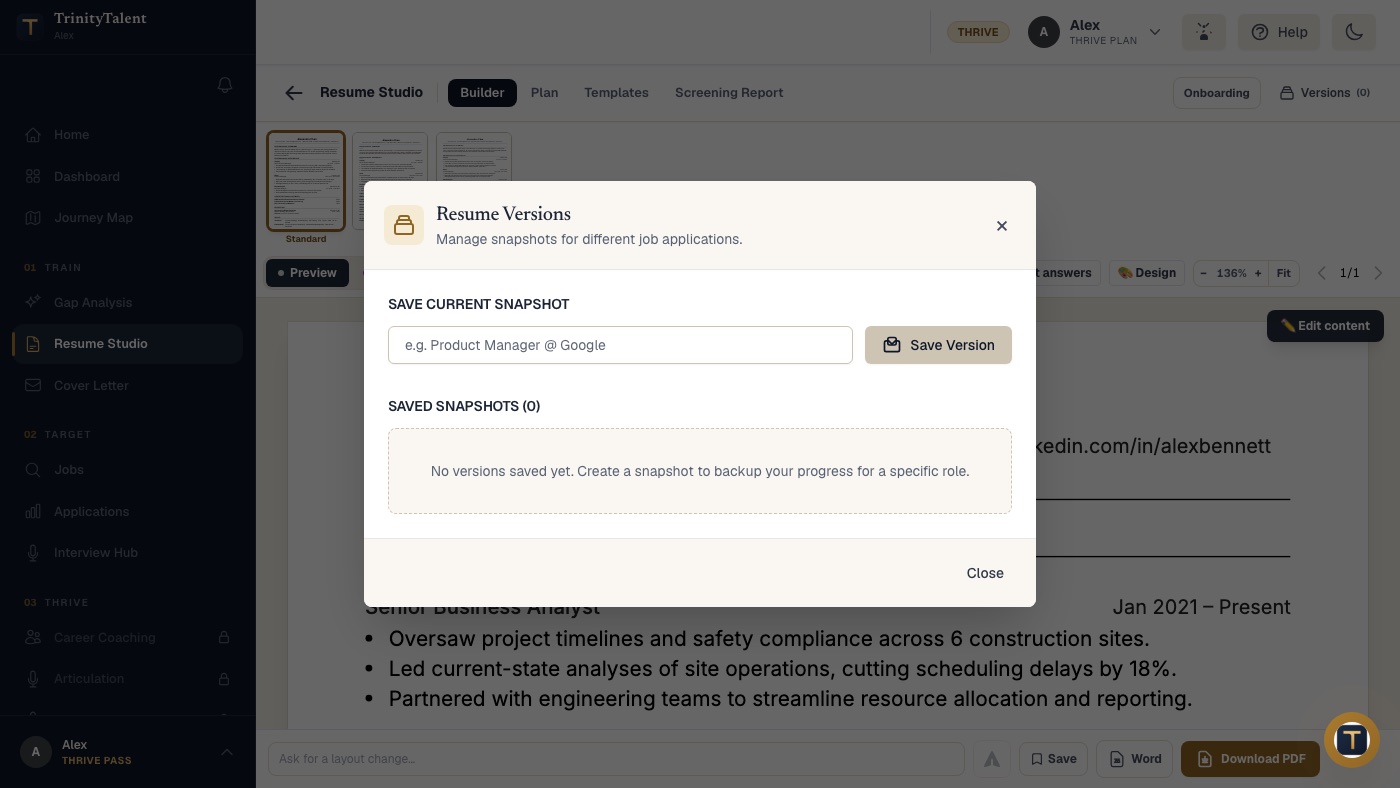
A master is valuable, and valuable files need protection. Before any large change, such as restructuring roles, rewriting a whole section, or merging two summaries, save a dated snapshot. A snapshot is a frozen copy you can return to if the edit goes wrong.
Name snapshots by what they are for and when: "Master 2026-10 before restructure", "Analyst version, data roles, Oct 2026". A folder of files called "resume final v3 (2)" is where good bullets go to die. The companion article on resume versions covers naming and how many versions you actually need.
Common mistakes with a master resume
- Sending the master. It happens under deadline pressure. A six-page resume tells the recruiter you did not tailor. Keep the master in a clearly named file and never attach it.
- Letting it go stale. Add a bullet the month something happens. Set a quarterly reminder to review it.
- Deleting instead of parking. The whole point is that nothing is lost.
- Editing the wrong file. Tailored copies must be copies. If you tailor inside the master, you no longer have a master.
- Keeping bullets you cannot defend. The master is private, but everything in it should still be true. A bullet you would not say aloud in an interview does not belong.
How TrinityTalent helps
TrinityTalent's free resume builder is designed around the master-and-versions model. Your full resume lives in the builder, and the Versions panel saves a named snapshot of it at any moment, so the master is protected before you start a large edit and every earlier state is one click away. Editing and the rules-based Check are free and run on your device.
When you have a real posting, the Match tab reads the actual page and tailors the resume from your own facts in one pass, and the result is shown for you to review before you save it as a version. Gaps come back as questions, never as invented claims. Each version can be exported to Word or PDF, and the Application tracker keeps the posting text with the version you sent, so you always know which resume went where. Building, editing and exporting your resume on TrinityTalent is free.
Frequently asked questions
What is a master resume?
A master resume is one long, private document that holds every job, bullet, project, credential and skill you can defend. You never send it. You copy from it, hide what does not fit a posting, and send a short tailored version. It removes the need to rewrite from scratch for every application.
How long should a master resume be?
As long as your record requires, often three to eight pages for someone with a decade of work. Length does not matter because nobody but you reads it. The tailored versions you send are one or two pages, built by hiding most of the master rather than by rewriting it.
Should I delete bullets when I tailor my resume?
No. Hide or park them instead, keeping the exact wording. A bullet that does not fit this posting may be the best one for the next. Deleting is how good material is lost; the master resume exists so that tailoring is subtraction from a full set, not rewriting from a shrinking one.
How often should I update a master resume?
Add a bullet the month something happens, while you still remember the numbers, and review the whole document once a quarter. Waiting until a job search begins is the most common mistake, because results from two years ago are hard to reconstruct accurately.
Put this into practice
Save your full resume as a snapshot in the free builder, then tailor a copy to a real posting in one pass without losing a single bullet.
Tailor your resume to a posting